Aesthetix · iOS & Android
Botox visualizer app for your own face
Explore how changes to expression lines and facial contours might look in a photo of you. Choose a Botox treatment zone in Aesthetix, compare preview intensities, and bring a visual reference to your consultation.
One free preview on sign-up. Additional previews use paid credits. App download and account required.
Choose what you want to preview

Forehead Botox Visualizer App
Explore horizontal forehead lines and a softer-looking upper face.

Botox Brow Lift Preview App
Explore brow height, shape and the appearance of the eye area.

Crow’s Feet Botox Simulator App
Explore the appearance of lines around the outer corners of your eyes.

Frown Lines Botox Visualizer App
Explore the appearance of the “11” lines between your eyebrows.
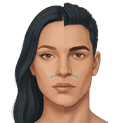
Gummy Smile Botox Visualizer App
Explore upper-lip position and how much gum is visible in your smile.

Nose Tip Botox Preview App
Explore subtle changes around the nose tip and bunny-line area.

Mouth Corner Botox Preview App
Explore the appearance of downturned mouth corners.
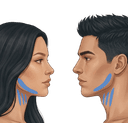
Nefertiti Lift Botox Preview App
Explore the appearance of your jawline and neck contours.
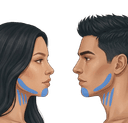
Chin & Nefertiti Botox Preview App
Explore your chin and the surrounding jawline contours together.
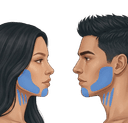
Masseter & Lower-Face Botox Visualizer
Explore lower-face width, chin shape and jawline contours together.
How to preview your own face
- Download Aesthetix and create your account to receive your first free preview.
- Take a selfie or upload an existing photo. Use a clear image where the area you want to preview is visible.
- Choose a treatment zone and a Subtle, Balanced or Defined intensity.
- Compare your original photo with the AI preview. Save a reference to discuss during your consultation.
Botox filter or treatment visualizer?
A Botox filter can suggest a different appearance in a photograph. Aesthetix lets you choose a specific treatment zone and compare Subtle, Balanced and Defined AI previews. A still image cannot demonstrate muscle movement or predict how your expressions will change after treatment.
Is this an online simulator or a mobile app?
Photo previews run in the Aesthetix iOS and Android app. This website helps you explore the available zones and see examples; it does not have a browser-based photo upload tool. One preview is free on sign-up, and additional previews use paid credits.
Can I use this as a 3D consultation tool?
Aesthetix generates photo-based AI previews. It does not provide a rotatable 3D scan, a clinical assessment or a guaranteed treatment outcome. If your consultation requires 3D imaging, ask your practitioner which imaging tools they use.
What should I check before uploading a photo?
Use a photo you have permission to upload. Review our privacy policy for information about photo processing and account data. A preview cannot assess treatment risks or replace advice from a qualified practitioner.